Frequently Asked Question
How can I clear my cache?
Last Updated 7 years ago
To clear your cache memory you need to press the Ctrl and Shift keys and then Delete and you will get a window with different options.
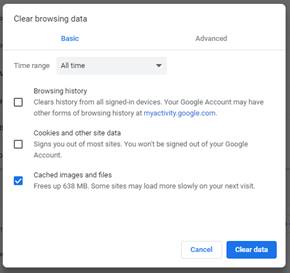
In Chrome it looks like this:
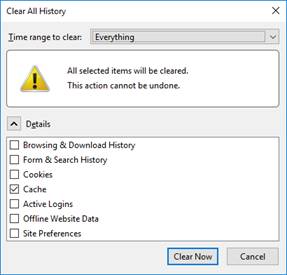
In Firefox it looks like this:
In Microsoft Edge it looks like this:
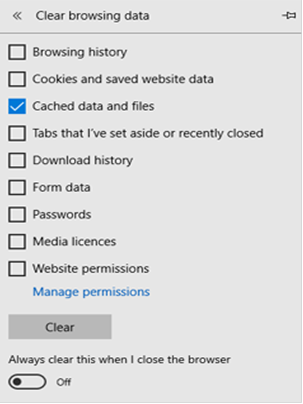
Put the tick only in the cache section and click on the button to clear the cache. Once cleared, go back to the page to try it.
In Chrome it looks like this:
In Firefox it looks like this:
In Microsoft Edge it looks like this:
Put the tick only in the cache section and click on the button to clear the cache. Once cleared, go back to the page to try it.